


How to Pay CP38 via MyTax (Step-by-Step Guide)

Paying CP38 can be confusing if you’re not familiar with LHDN’s online system. CP38 is an extra tax deduction that employers must make for staff who have outstanding income tax, and it has to be paid correctly through MyTax every month.
What is CP38?
CP38 is an additional tax deduction order issued by LHDN (Inland Revenue Board). When an employee has outstanding or underpaid tax, LHDN sends a CP38 notice to the employer. The employer must then deduct a fixed extra amount from the employee’s salary every month, on top of the normal PCB (Potongan Cukai Berjadual/MTD).
Key points for HR and employers:
-
CP38 only applies when LHDN issues a specific directive for a named employee.
-
The amount and duration are set by LHDN – employers cannot simply change it.
-
The CP38 deduction must then be remitted to LHDN every month, just like PCB.
The purpose is to let employees pay off their tax arrears in instalments instead of one big lump sum.
What Employers Need Before Paying CP38
Before you log into MyTax, make sure you have all the important details ready.
You will need:
Official CP38 Instruction from LHDN
This is usually a letter or online notice stating: employee name, tax reference, total arrears, monthly deduction amount, and duration.
Employee Details
Full name and IC number/passport number (for non-citizens).
Monthly CP38 Amount
Exactly as stated in the CP38 notice (e.g. RM300 per month).
Employer’s MyTax Login
Your employer income tax number and password / digital certificate for e-filing access.
Having these details on hand will make payment in MyTax much faster and reduce input errors.
How to Pay CP38 in MyTax (Step-by-Step)
Once you have the CP38 notice and employee details, you can submit and pay CP38 through MyTax in a few steps.
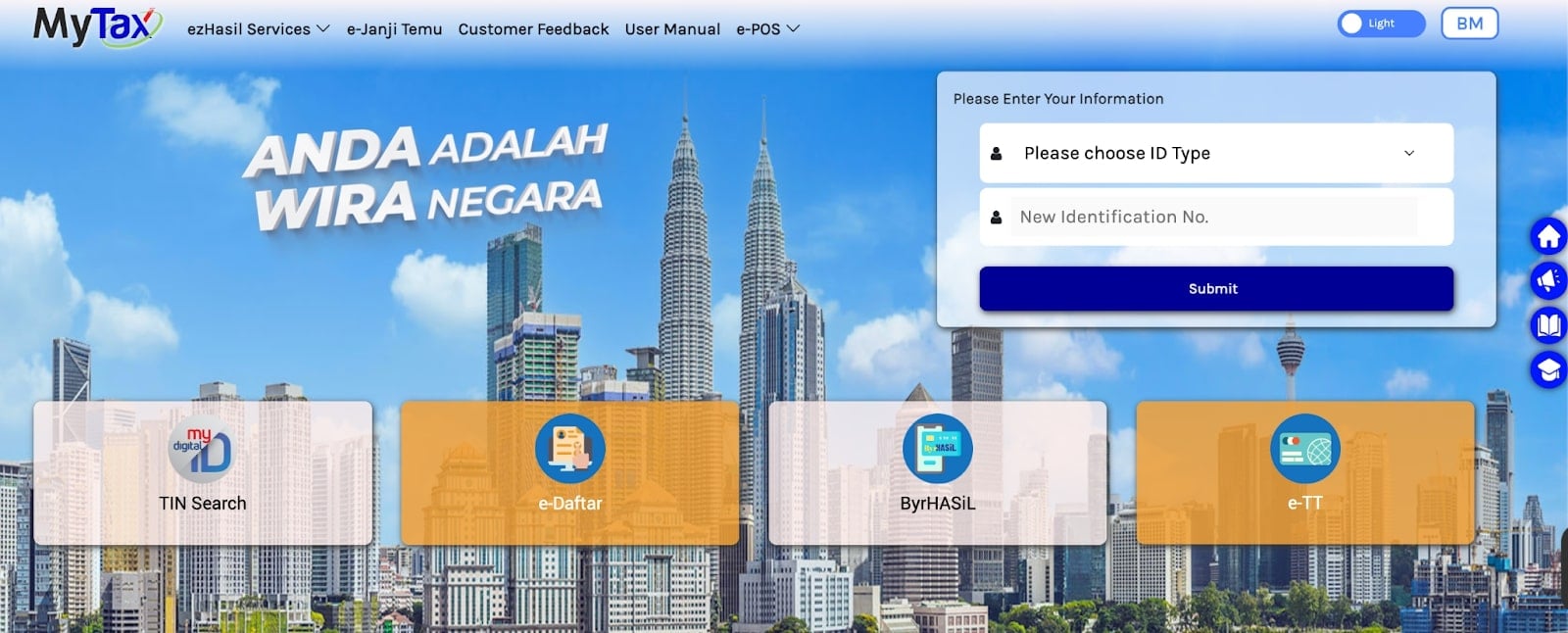
Step 1: Log In to MyTax
-
Go to the MyTax portal (https://mytax.hasil.gov.my/).
-
Log in using your employer credentials (Digital Certificate / e-Data PCB login).
-
Make sure you are using the employer profile, not an individual tax login.
Step 2: Go to the CP38 Submission / Payment Section
-
From the dashboard, click Services or ezHasil Services.
-
Choose the module used for PCB/CP38, usually e-PCB / e-CP39 / e-Data PCB (for online submission of monthly tax deductions).
-
Look for the CP38 area inside the PCB/CP39 section or a menu labelled “PCB/CP38 payment” (MyTax groups PCB and CP38 together for payment).
Step 3: Select the Month and Add Employee Details
-
Select the Year of Assessment (YA) and month that you are paying (for example: YA 2025, Month = 07 for July).
-
If you are keying in manually, enter the employee’s tax reference / IC number, name, and the CP38 amount from the LHDN notice. Repeat for all employees who have CP38 that month.
-
If you are using a payroll system that generates a CP39/CP38 text file, use the upload feature (e-Data PCB) and upload the file that already contains both PCB and CP38 details.
Step 4: Confirm the Total CP38 Amount
-
MyTax will show a summary screen with:
-
Total PCB
-
Total CP38
-
Total payment amount for that month
-
-
Double-check:
-
Employee names and IC numbers
-
CP38 amounts match the CP38 notice from LHDN
-
-
Correct any errors before proceeding. This reduces adjustment work later.
Step 5: Proceed to Payment
-
Choose your payment option, usually via:
-
FPX online banking (Maybank, CIMB, Public Bank, etc.)
-
Internet banking / ByrHASiL
-
In some cases, credit/debit card, depending on LHDN’s available methods.
-
-
Confirm the total deduction amount for PCB + CP38 (if paid together), or specifically the CP38 total if you pay separately.
-
Complete the transaction and wait for the “successful payment” confirmation screen.
Step 6: Download and Keep the Receipt
-
Download the e-receipt / payment confirmation from MyTax or ByrHASiL.
-
Save a copy in your payroll folder (digital or printed) and note:
-
Month and year
-
Total PCB and CP38 amount
-
Transaction reference number
-
-
Keep these receipts for audit, HR records, and employee queries.
Tips for HR
A few simple habits can help HR stay compliant and avoid penalties.
Follow the Exact CP38 Schedule and Amount
Always use the amount and period stated in LHDN’s CP38 letter. Do not adjust or stop deductions unless LHDN issues a new instruction.
Keep CP38 Separate from PCB in Payroll Records
Even if you pay them together through MyTax, record CP38 as a separate deduction line in the payslip and payroll system.
Remit CP38 by the Deadline
CP38 must be paid by the 15th of the following month after salary is paid, same as PCB. Late or missing payments can attract fines.
Inform Employees about CP38 Deductions
Share a simple notification letter or email, stating:
-
Why a CP38 deduction is applied
-
How much will be deducted each month
-
How long will the deduction last
Keep All Notices and Receipts
Store CP38 instruction letters, Internal calculation sheets, and payment receipts. This helps if LHDN audits your company or if employees ask for clarification.
FAQs
Is CP38 compulsory?
Yes. Once LHDN issues a CP38 notice for an employee, the employer must deduct the stated amount and pay it to LHDN every month according to the schedule.
Where do I find CP38 notices?
CP38 instructions are usually:
-
Sent as official letters from LHDN to the employer; and/or
-
Available through the company’s LHDN / MyTax account if integrated.
HR should keep a central file or tracker listing all staff who have active CP38 orders.
Can CP38 be reduced or changed?
No, employers cannot change the CP38 amount on their own. If the employee feels the instalment is too high, they must contact LHDN directly to negotiate or request an adjustment. Any change must come from a new instruction from LHDN.
What happens if employers don’t pay CP38 on time?
Late or missing CP38 payments can lead to:
-
Penalties and fines
-
Potential legal action against the employer
-
Compliance issues if LHDN audits your organisation
This is why CP38 should be managed together with PCB in your monthly payroll calendar.
Can CP38 and PCB be paid together in one payment?
Operationally, PCB and CP38 are often submitted through the same MyTax / e-CP39 channel and paid in a single transaction using FPX. However, in your internal payroll records and CP39 summary, PCB and CP38 should still be clearly separated so you can see:
-
PCB total
-
CP38 total
This makes reconciliation easier and helps if there is a dispute or audit.
Your Next Hire Could be Just a Click Away!

At AJobThing, we connect you with 5+ million jobseekers in Malaysia, ensuring you hire the best.
Post your job ads today & simplify your hiring process!
Read More:
-
Cara Claim SOCSO Kemalangan: A Complete HR Guide for Work Accident Claims
-
i-Sayang KWSP Guide: Requirements, Benefits & How to Register
-
EPF, SOCSO, EIS, and LHDN Employer Registration Guide for Malaysian Companies
- Cara Kira Potongan KWSP dan SOCSO | How to Calculate EPF and SOCSO Deductions in Malaysia
-
Statutory Contributions in Malaysia Explained for Employers and HR
-
Deadlines & Penalties for SOCSO, EPF, PCB/Form E, and HRD Levy in Malaysia
-
PCB for Foreign Workers in Malaysia: Employer’s Complete Guide
-
EPF Withdrawal for Education: Employer’s Guide to Supporting Staff
-
Akaun Fleksibel (EPF’s New Account Structure): Key Info for Employers
-
KWSP Call Centre for Employers: Contact Numbers, Services, and Support Channels
-
How to Check KWSP/EPF Balance: Online, SMS, Call Center, and More (2025)