

KWSP Auto Simpan: How to Save More for Your Retirement

Are You Hiring?
Find candidates in 72 Hours with 5+ million talents in Maukerja Malaysia & Ricebowl using Job Ads.
Hire Now
Saving money every month is not always easy. After paying for rent, food, transport, bills and other commitments, it can be difficult to set aside money for the future.
For employees in Malaysia, KWSP already helps build retirement savings through monthly contributions. However, you can also make additional voluntary contributions to grow your retirement savings.
One option is Auto Simpan KWSP, a feature that lets you automatically save money into your KWSP account every month.
What Is Auto Simpan KWSP?

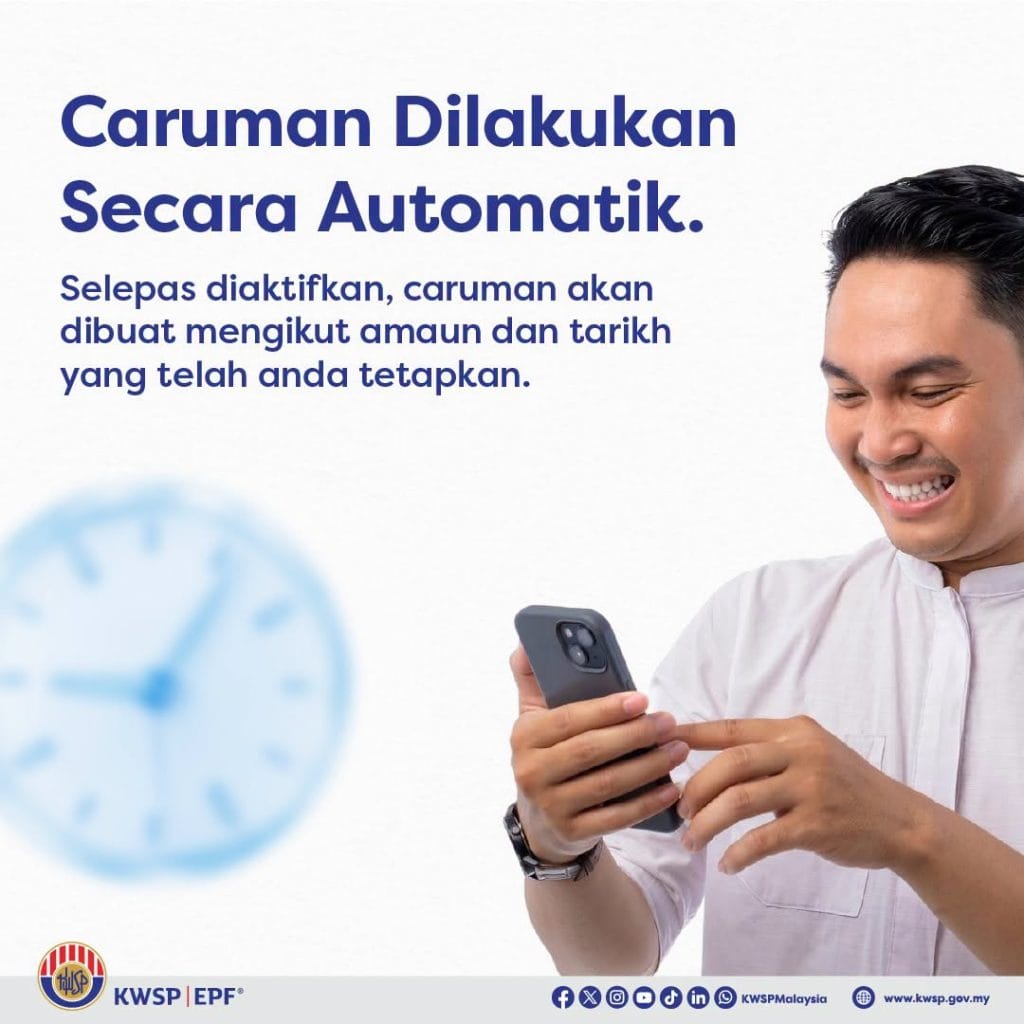
Image source: Kumpulan Wang Simpanan Pekerja
Auto Simpan KWSP is a feature that allows KWSP members to set up automatic and recurring monthly voluntary contributions.
The feature is available under “Tambah Simpanan” in the KWSP i-Akaun app and the i-Akaun (Ahli) web portal. It uses DuitNow Autodebit, so your chosen amount will be automatically deducted from your bank account based on the date you select.
This means you do not need to remember to make a manual contribution every month.
Auto Simpan can be useful if you:
- Want to grow your retirement savings consistently.
- Have a busy schedule and often forget to save.
- Prefer to save first before spending.
- Want to add to your KWSP savings beyond your regular mandatory contributions.
For salaried employees, this can be especially useful because i-Simpan can be used to make additional voluntary contributions on top of the mandatory monthly KWSP contributions made through employment.
Who Can Use Auto Simpan KWSP?
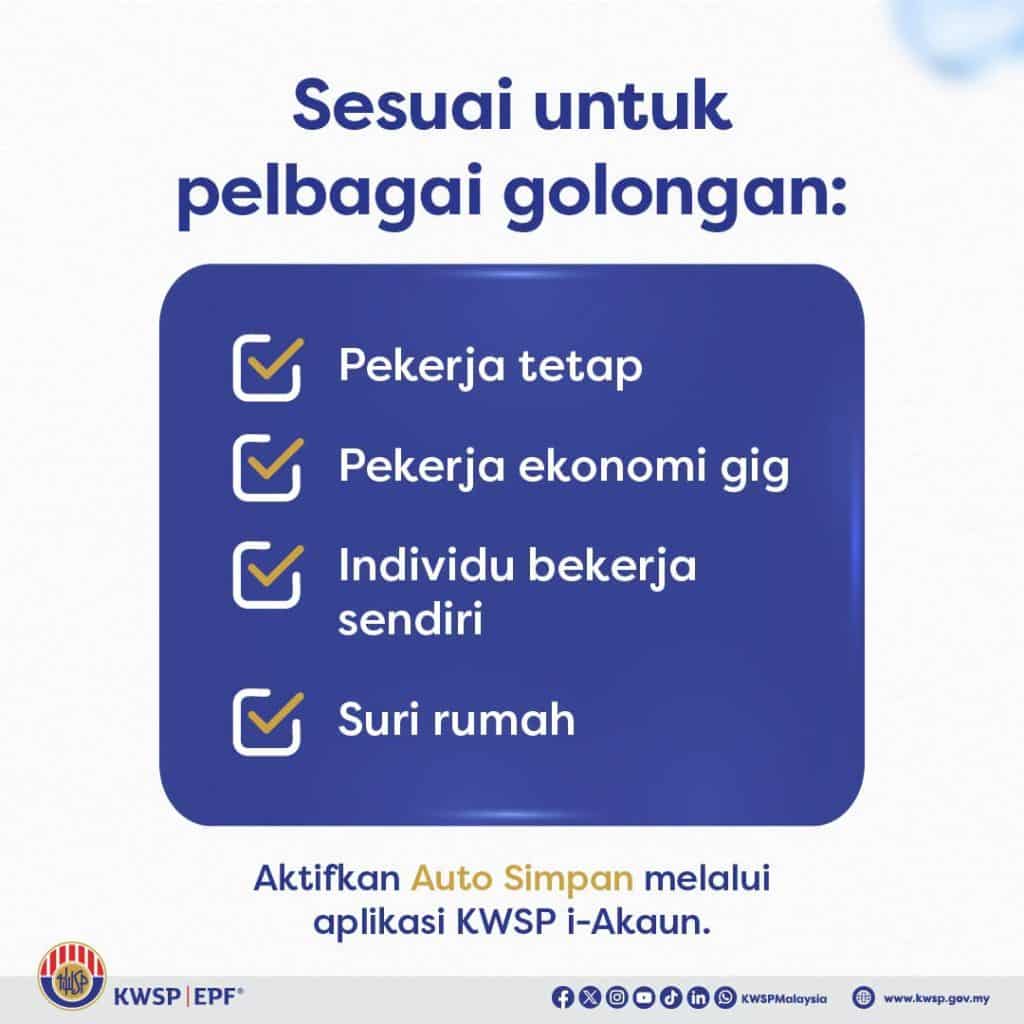
Image source: Kumpulan Wang Simpanan Pekerja
Auto Simpan is available for different types of KWSP members, including:
- Pekerja tetap
- Pekerja ekonomi gig
- Individu Bekerja Sendiri
- Suri Rumah
The Auto Simpan feature can be used for three types of voluntary contributions:
The applicable terms and conditions set by KWSP apply.
For employees, i-Simpan is particularly relevant because salaried employees can use it to make additional voluntary contributions to their own KWSP account.
You Can Start From RM10

Image source: Kumpulan Wang Simpanan Pekerja
One of the main advantages of Auto Simpan is that you do not need a large amount of money to start.
The minimum Auto Simpan contribution is RM10, while the maximum is RM100,000, subject to the overall annual voluntary contribution limit set by KWSP.
For example, putting aside RM10 every month may seem small, but the important part is building a regular saving habit.
You can also increase the amount based on your financial situation.
A practical approach for employees is to choose an amount that you can comfortably afford every month instead of setting an amount that puts pressure on your budget.
How to Activate Auto Simpan KWSP
You can register and activate Auto Simpan through the KWSP i-Akaun app or the i-Akaun (Ahli) web portal.
Option 1: Through the KWSP i-Akaun App
- Log in to your KWSP i-Akaun.
- Go to the Savings section and select “Increase Your Savings”.
- Select “Activate Auto Simpan”.
- Click “Continue”.
- Set the contribution amount and monthly deduction date.
- Select your bank.
- Check your contribution details and agree to the Terms & Conditions.
- Log in to your bank account to authorise the Auto Simpan registration.
- Once completed, you will receive a confirmation message.
The process is designed to be simple and can be completed in a few minutes.
Option 2: Through the i-Akaun (Ahli) Web Portal
The steps are similar when using the web version of i-Akaun. The main difference is that you are completing the process on a larger screen.
You can access the i-Akaun (Ahli) web portal here:
https://iakaun.kwsp.gov.my/portal/member/login
Benefits of Auto Simpan KWSP
Using Auto Simpan can make saving for retirement easier because the process becomes automatic.
Build a Better Saving Habit
You do not need to remember to make a contribution every month. Once Auto Simpan is active, the chosen amount is deducted automatically.
This can help reduce the habit of saying, “I will save next month.”
Grow Your Retirement Savings
Regular voluntary contributions can help increase your total KWSP savings over time.
Your KWSP savings may also receive annual dividends, subject to the applicable KWSP dividend rate and rules.
i-Saraan Incentive for Eligible Members
For eligible i-Saraan members, the Government provides a special incentive of 20% of voluntary contributions, up to RM500 per year, subject to the applicable eligibility requirements and terms.
This is mainly relevant to self-employed individuals and gig workers who qualify for i-Saraan.
Potential Tax Relief
Voluntary EPF contributions may qualify for income tax relief, subject to the rules and limits set by LHDN.
For private-sector employees and non-pensionable public servants, the current EPF-related tax relief structure includes up to RM4,000 for EPF contributions and a separate combined relief of up to RM3,000 for life insurance/family takaful and additional voluntary EPF contributions, subject to the applicable conditions.
Because tax rules can change, employees should check the latest LHDN and KWSP guidance before making a tax claim.
What Employees Should Know Before Using Auto Simpan
Before setting up Auto Simpan, make sure the monthly amount fits your budget.
For example, you may want to consider your:
- Monthly salary
- Rent or housing payment
- Food and transport costs
- Debt or loan payments
- Emergency savings
- Other monthly commitments
A smaller amount that you can maintain every month may be easier than setting a high amount and stopping later.
Also remember that Auto Simpan is a voluntary contribution. For salaried employees, it is an additional contribution on top of the normal mandatory KWSP contribution made through employment.
How to Check Your Auto Simpan Status
You can check your Auto Simpan registration through the KWSP i-Akaun app or the i-Akaun (Ahli) web portal.
Go to:
Profile → Auto Transactions → Auto Simpan Records
If the registration is successful, KWSP will also provide a notification and a message in your i-Akaun Inbox.
Can You Change the Amount or Deduction Date?
No. Once Auto Simpan is active, you cannot directly change the contribution amount or deduction date.
If you want to change either one, you need to:
- Cancel the existing Auto Simpan registration.
- Register for Auto Simpan again with the new amount or date.
What Happens If There Is Not Enough Money in Your Bank Account?
If your bank account does not have enough money when the deduction is made, the Auto Simpan transaction may fail.
In this situation, you can still make a manual voluntary contribution through KWSP i-Akaun to continue building your savings.
For this reason, it is a good idea to choose a deduction date that matches your cash flow, such as after your salary is normally credited.
Is There Any Charge for Auto Simpan?
No. KWSP does not impose a charge for using the Auto Simpan feature.
How to Stop Auto Simpan
You can cancel Auto Simpan at any time through the KWSP i-Akaun app or i-Akaun (Ahli) web portal.
Through the Savings Menu
Go to:
Increase Your Savings → Auto Simpan → View Details → Cancel Auto Simpan
Through the Profile Menu
Go to:
Profile → Auto Transactions → Auto Simpan Records → Cancel Auto Simpan
FAQs
Can salaried employees use Auto Simpan?
Yes. Salaried employees can use i-Simpan to make additional voluntary KWSP contributions.
What is the minimum Auto Simpan amount?
You can start with as little as RM10 per month.
Does Auto Simpan replace my employer’s KWSP contribution?
No. Auto Simpan is a voluntary contribution made on top of your regular KWSP contribution.
Can I cancel Auto Simpan?
Yes. You can cancel it through the KWSP i-Akaun app or web portal.
Is Auto Simpan suitable for a small budget?
Yes. You can choose an amount that fits your monthly budget, starting from RM10.
Looking to Hire?
%20copy.jpg)
Your employees are an important part of your business. Find the right people for your team with AJobThing.
Post your job, reach qualified candidates, and make your next hire with ease.
Read More:
-
How to Register PMKS in Malaysia: Requirements & Benefits 2026
-
Pembiayaan TEKUN Online 2026: How to Apply, Eligibility & Required Documents
-
Pembiayaan untuk Usahawan 2026: Business Assistance, Grants, Loans & How to Apply
-
Malaysia Introduces Digital Pension Payments and MyPesara Plus to Support Government Retirees
-
SSM4U Malaysia 2026: Complete Guide to Registration, Login & Business Renewal
-
KESUMA Highlights Over 96,000 Active Job Vacancies to Expand Career Opportunities
-
LINDUNG 24 Jam (SKBBK) Opt-Out: Steps, Deadline, and What You Need to Know
-
Progressive Wage Policy (PWP) Malaysia: Salaries Up 13.8%, RM64 Million Paid Out
-
Foreign Worker Quota Malaysia: Complete Guide to KESUMA's New eQuota System (2026)
-
Government Confirms Umur Bersara Penjawat Awam Remains at 60
-
PERKESO Lindung 24 Jam: Contributions Now Voluntary for Malaysian Workers (2026 Update)
-
Malaysia Digital 2030: AI Vision, 500,000 Digital Jobs & More Online Government Services
-
What Is BAKAT MADANI? Malaysia's New Skills Training Initiative Explained
-
Over 42,000 Malaysians Lost Their Jobs in 2026: Key Insights for Employers
-
Fresh Graduate Salary in Malaysia (2026): How Much Should Employers Pay?
-
Salary Benchmarking in Malaysia: Are You Paying Enough to Attract Candidates?
-
What Is Mutual Separation Scheme (MSS) in Malaysia? Meaning, Compensation & Guide
-
Bantuan Berhenti Kerja Malaysia (2026): Employee Rights & Employer Responsibilities
-
B40, M40 & T20 Malaysia: Latest Household Income Categories and Income Range (2026)
-
MyKad Online: How to Replace Your MyKad Through the JPN Portal
-
Touch n Go MyKad: How to Claim Your Balance After Getting a New MyKad
-
Geran LiKES TalentCorp 2026: RM2,000 Grant & 50% Reimbursement for Intern Hiring
-
Free SSM Registration for B40 & IPT Students Under SPPP 2026
-
Zakat Pendapatan Malaysia: Salary Deduction & Payroll Process for Employers
-
PADURI MADANI Scheme: Financial Assistance for B40 Women Entrepreneurs
-
MyKad Baru June 2026 Released: Do You Need to Change Your IC?
-
Bantuan B40 2026 Ikut Negeri: Full List Malaysia + Eligibility & How to Apply
-
Malaysia Govt Saves RM678,000 in Fuel in 1 Week After WFH Policy
-
Malaysia Job Loss 2026 Rises 47% to 24,100 Retrenchments in Q1
-
Senarai Barang MyKasih (SARA 2026): What You Can Buy Using Your SARA Credit
-
Senarai Kedai MyKasih 2026: List of Stores That Accept SARA MyKad Assistance
-
Skim Jaminan Kredit Perumahan (SJKP): How Malaysians Can Buy a Home Without a Payslip
-
Semakan SARA 2026: Recipient Categories, Payment Dates and How to Use MyKad
-
SARA 2026 Malaysia Latest Updates and Official Announcements