


Penyata KWSP: How to Check, Download & Understand Your EPF Statement

Penyata KWSP is often required for many important financial matters in Malaysia, such as loan applications, housing transactions, personal financial planning, and retirement preparation.
Beyond external use, it also helps employees:
-
Check whether their employer is contributing to KWSP correctly
-
Confirm that contributions are paid on time and in full
Today, employees can easily download Penyata KWSP online through KWSP i-Akaun, without visiting a KWSP office. This makes it easier to monitor contributions and supports better payroll transparency.
What Is Penyata KWSP
Penyata KWSP is an official document issued by the Employees Provident Fund (KWSP). It shows a complete and detailed record of a member’s EPF savings.
The statement reflects how retirement savings accumulate over time and includes:
-
Monthly contributions from both employer and employee
-
Total EPF savings balance
-
Dividends credited by KWSP
-
Account breakdown based on age and account structure
-
Withdrawal history
Because it is an official KWSP document, Penyata KWSP is widely accepted by banks, financial institutions, and government agencies.
What Information Can You See in Penyata KWSP
Penyata KWSP provides a structured overview of a member’s EPF account. Understanding each section helps employees verify accuracy and plan better.
Savings Balance
The statement shows:
-
Opening balance at the beginning of the year
-
Closing balance as at 31 December
-
Latest balance for the current year (for recent statements)
Employees can see how contributions and dividends increase their savings annually.
Annual Dividend
Each year, KWSP declares a dividend based on fund performance. Penyata KWSP clearly shows:
-
The dividend amount credited
-
The year in which the dividend was applied
Total Contributions
The statement breaks down contributions into:
-
Employer contributions
-
Employee contributions
-
Self or voluntary contributions (if applicable)
The total contribution section is important for employees to verify that employer contributions match what appears on their payslip.
Not Sure Whether Your EPF Contribution Amount is Correct?
Use our EPF Contribution Calculator to check employer and employee contribution amounts based on your monthly salary.
Account Breakdown
KWSP savings are divided into different accounts depending on age.
For members below 55 years old:
-
Akaun Persaraan
-
Akaun Sejahtera
-
Akaun Fleksibel
For members aged 55 and above:
-
Akaun 55
-
Akaun Emas
Each account serves a different purpose, and the statement shows how savings are distributed across them.
Withdrawal Records
If withdrawals have been made, Penyata KWSP records them clearly, including withdrawals for:
-
Education
-
Housing
-
Medical purposes
-
Hajj
-
Retirement
-
Akaun Fleksibel (if applicable)
Adjustments
Penyata KWSP may also show adjustments such as:
-
Late payments by employers
-
Contribution corrections
These entries are important indicators if there were delays or errors in payroll submissions.
Shariah Savings (If Applicable)
For members who opt for Simpanan Shariah, the statement displays the effective date of Shariah savings.
Why You Should Check Your Penyata KWSP
Checking Penyata KWSP regularly benefits both employees and employers.
For employees, it helps to:
-
Monitor retirement savings growth
-
Plan finances more accurately
-
Ensure employer contributions match payslip deductions
-
Confirm that contributions are submitted every month
-
Detect missing or late payments early
Early detection allows issues to be resolved before they become long-term problems.
How to Download Penyata KWSP Online
KWSP provides several online options through i-Akaun.
Method 1: From i-Akaun App Home Page
-
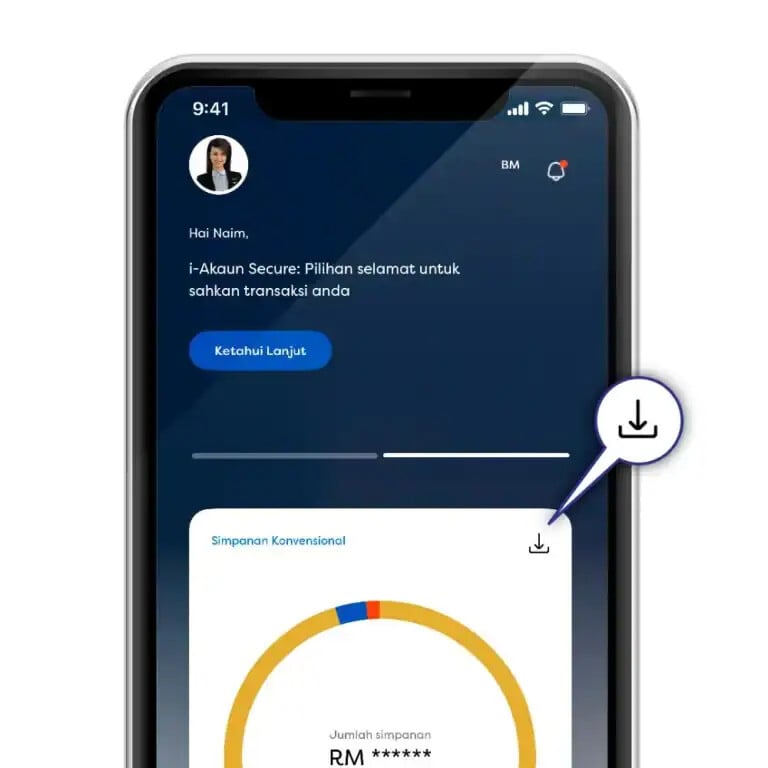
Open the KWSP i-Akaun mobile app
-
Tap the download icon on the account summary
-
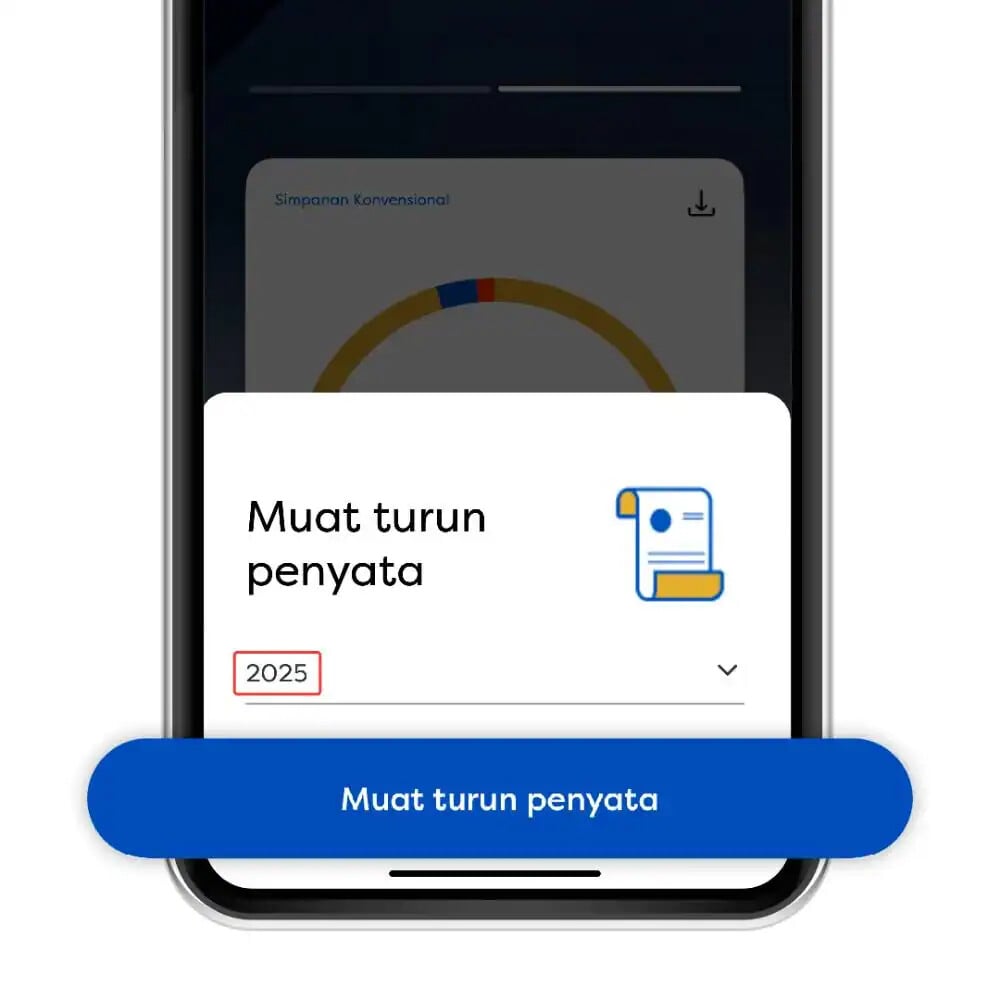
Select the statement year
-
Tap Muat turun penyata (Download Statement)
-
Save or share the PDF file
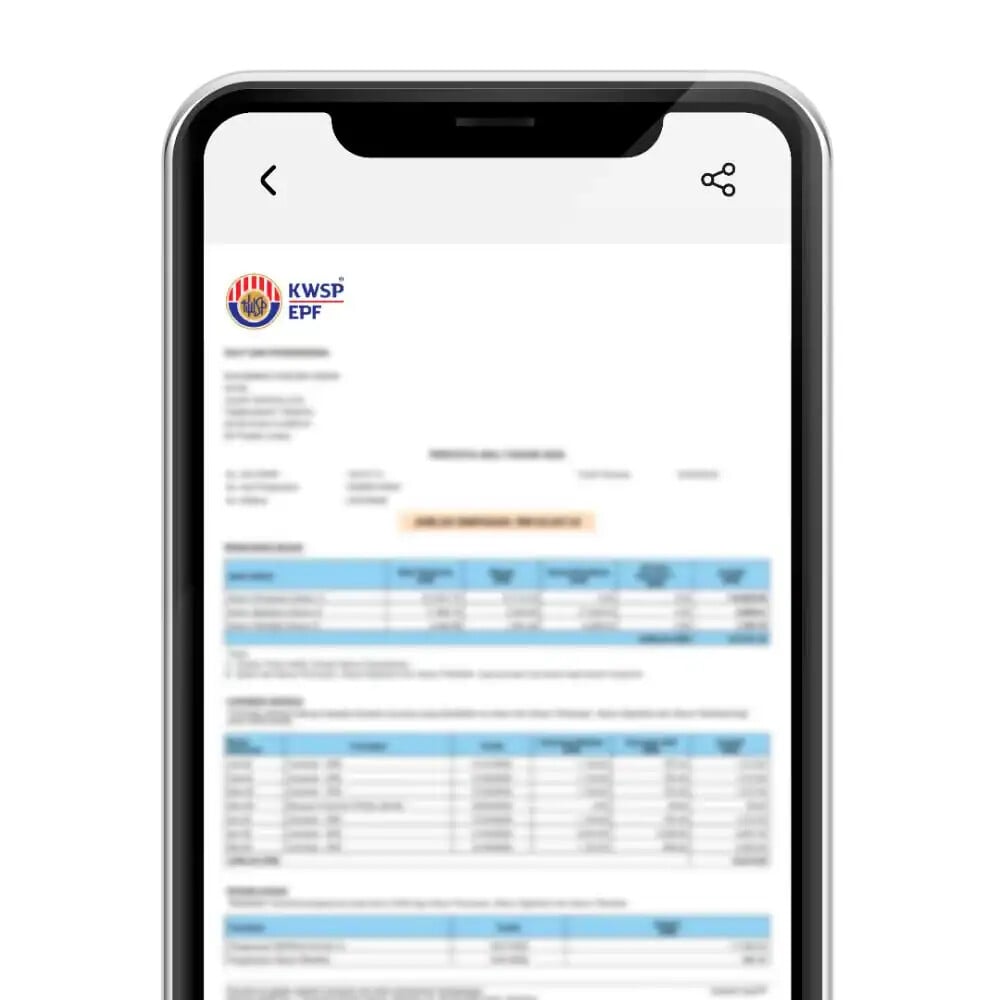
Note: Screen layout may differ slightly between Android and iPhone.
Method 2: From Savings Tab
-
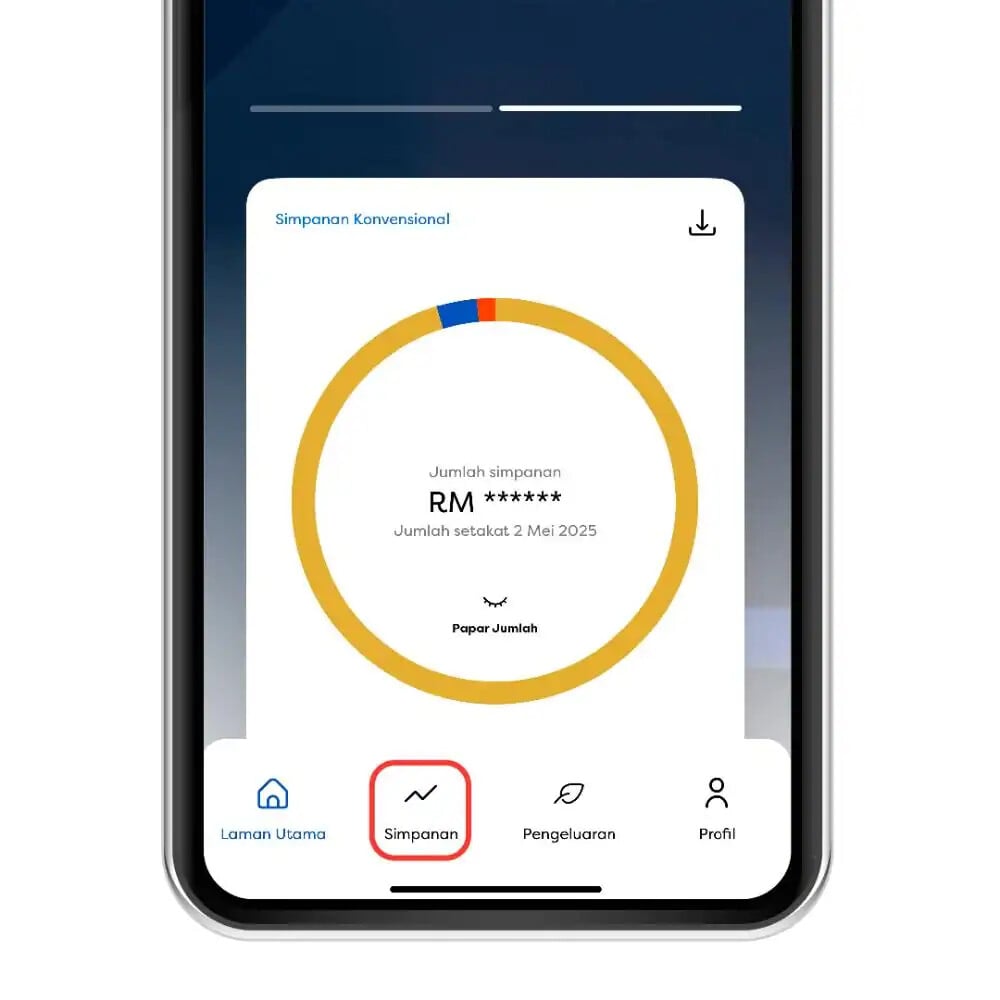
Open the i-Akaun mobile app
-
Go to Simpanan
-
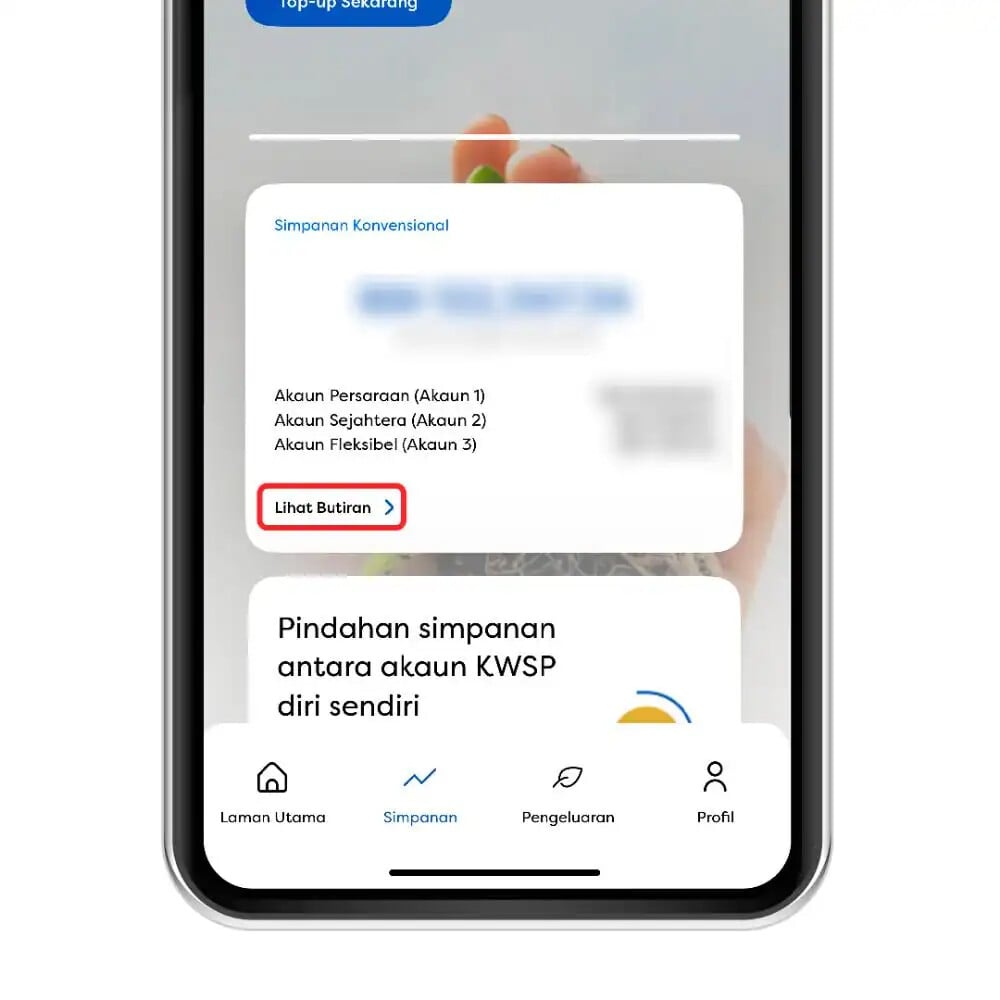
Tap Lihat Butiran
-
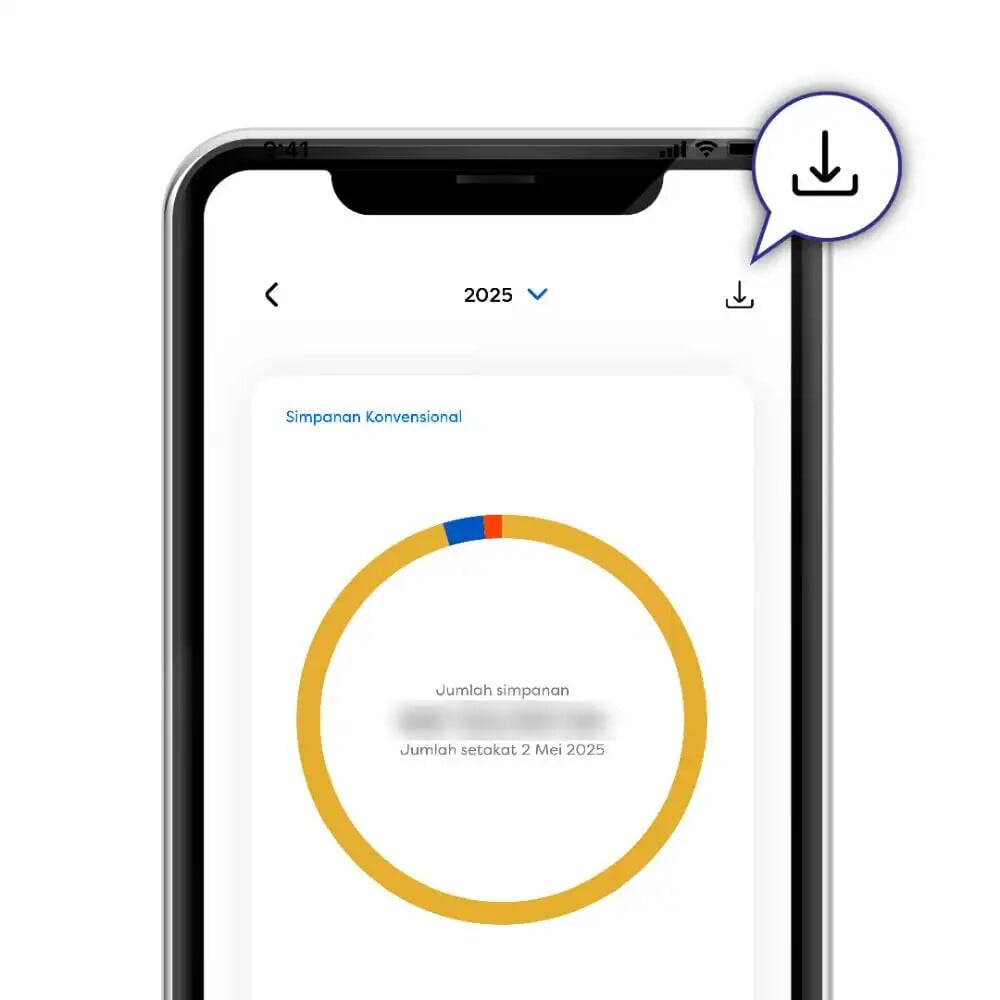
Click the download icon
-
Select the year and download the statement
This option is useful when reviewing account details first.
Method 3: From i-Akaun Website
-
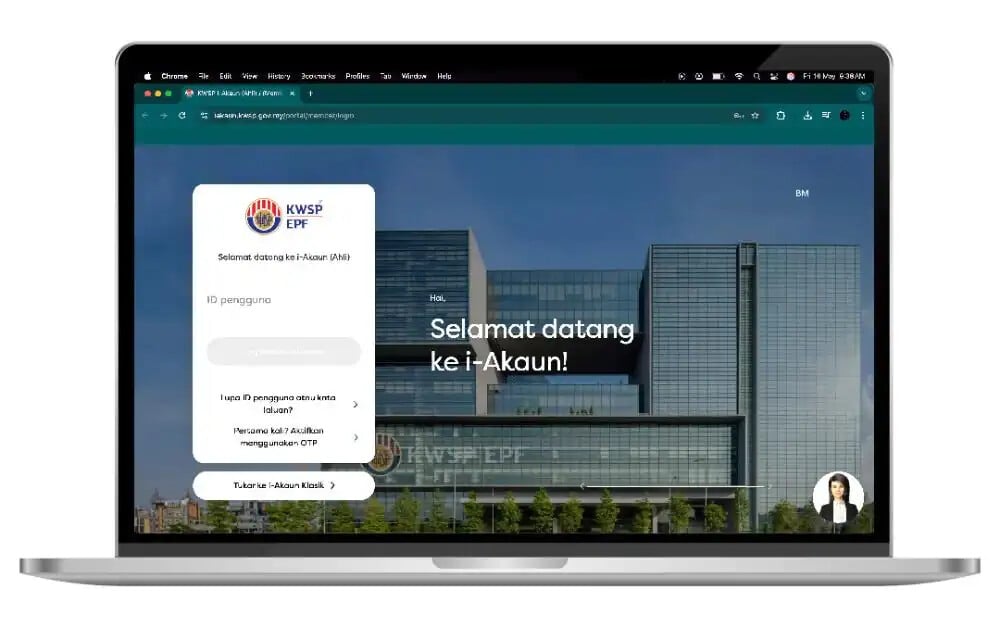
Visit the i-Akaun (Ahli) website
-
Log in using your User ID and password
-
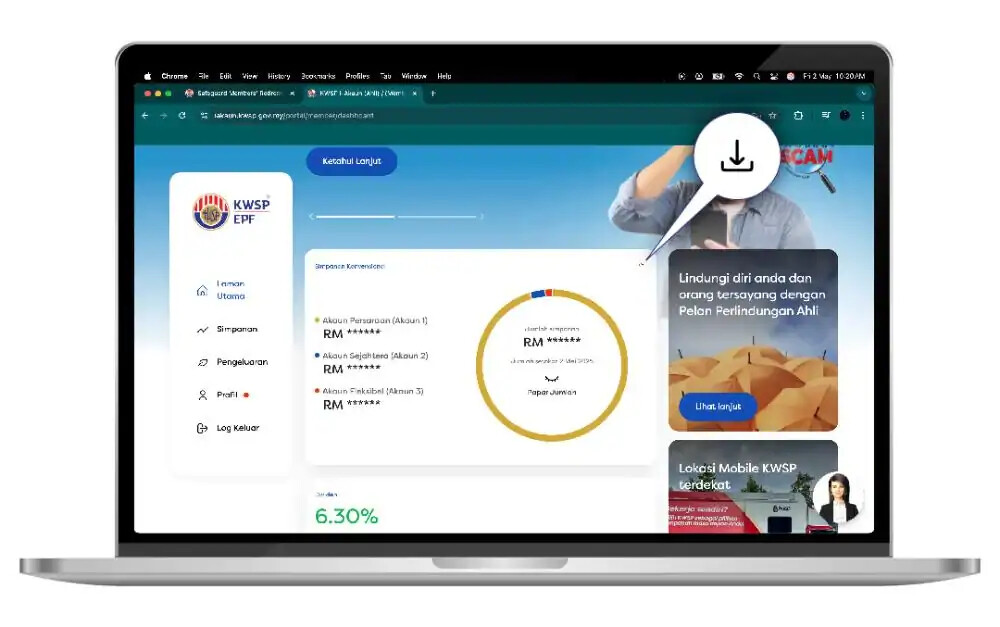
Click the download icon
-
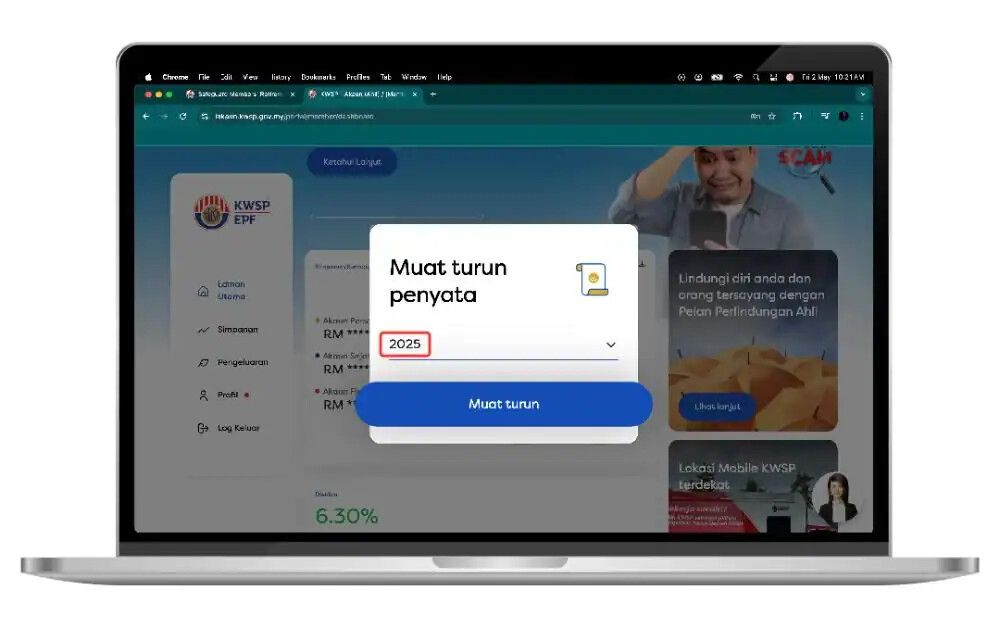
Select the statement year
-
Download and save the PDF
This method is commonly used for printing or official submissions.
Other Ways to Get Penyata KWSP
If online access is not available, Penyata KWSP can still be obtained through offline channels.
Self-Service Terminal (SST)
At selected locations, you can verify your identity using MyKad/MyPR and your fingerprint in KWSP offices. Then, request the statement and the Penyata KWSP will be sent to your registered email.
KWSP Branch Office
You may also visit any KWSP branch. Bring your valid identification for verification and request assistance from the counter staff.
Statements Older Than 6 Years
Statements older than six (6) years cannot be downloaded online. To obtain older records:
-
Visit a KWSP office in person
-
Bring identification (MyKad, MyPR, or passport)
-
Provide supporting documents such as:
-
LHDN letter
-
PERKESO (SOCSO) document
-
Court order
-
Official request letter
-
Approval is subject to KWSP verification.
KWSP i-Akaun Mobile App
The KWSP i-Akaun app is available on:
-
Google Play Store
-
Apple App Store
-
Huawei App Gallery
Using the app, members can:
-
Check EPF balance
-
Download Penyata KWSP
-
Review employer contribution history
-
Monitor monthly payments
For employees, this is the easiest way to keep track of contributions and identify issues early.
FAQ
How can employees check if their employer paid KWSP correctly?
By comparing employer contribution amounts in Penyata KWSP with deductions shown on monthly payslips.
What should I do if my employer's contribution is missing?
Contact your employer first. If unresolved, lodge a complaint with KWSP for investigation.
How long does it take for employer payments to appear in KWSP?
Employer contributions usually appear within a few working days after submission, depending on the payment method.
Can Penyata KWSP be used to compare with payslips?
Yes. It is one of the most reliable ways to verify payroll deductions against actual contributions.
Who should I contact if employer contributions are late?
You may contact KWSP directly through official channels for clarification or enforcement.
Can employers see my Penyata KWSP?
No. Penyata KWSP is private and accessible only to the member, unless shared voluntarily.
Is Penyata KWSP accepted for housing and bank loans?
Yes. Penyata KWSP is widely accepted as supporting financial documentation.
Your Next Hire Could be Just a Click Away!
At AJobThing, we connect you with 5+ million jobseekers in Malaysia, ensuring you hire the best.
Post your job ads today & simplify your hiring process!
Read More:
-
SST 2026 Malaysia: Key Changes, Tax Rates and Employer Compliance Guide
-
EIS Contribution Table 2026 Malaysia – Rates, Salary Ceiling and Calculation Guide
-
Semakan SARA 2026: Recipient Categories, Payment Dates and How to Use MyKad
-
SARA 2026 Malaysia: Eligibility, Payment Dates, Amount & MyKad Usage
-
Malaysia Employment Pass Salary Increase 2026 Takes Effect on 1 June
-
Malaysia Income Tax Exemption 2025 Guide for Employers & HR | e-Filling 2026
-
LHDN Stamp Duty Requirements for Business and Employment Documents in Malaysia
-
What Employers Must Submit Through LHDN e-Filing in Malaysia
-
i-Topup KWSP: Contribution Rules & Guide for Employers in Malaysia
-
i-Simpan EPF (KWSP): How It Works & How Employees Can Contribute
-
EPF (KWSP) New Updates in January 2026 for Employers & HR in Malaysia
-
Penamaan KWSP in Malaysia: Legal Implications, Process, and HR’s Role
-
i-Sayang KWSP Guide: Requirements, Benefits & How to Register
-
EPF, SOCSO, EIS, and LHDN Employer Registration Guide for Malaysian Companies
- Cara Kira Potongan KWSP dan SOCSO | How to Calculate EPF and SOCSO Deductions in Malaysia
-
Deadlines & Penalties for SOCSO, EPF, PCB/Form E, and HRD Levy in Malaysia
-
EPF Withdrawal for Education: Employer’s Guide to Supporting Staff
-
Akaun Fleksibel (EPF’s New Account Structure): Key Info for Employers
-
KWSP Call Centre for Employers: Contact Numbers, Services, and Support Channels